
GTA 6 prompt
Browse a curated GTA 6 prompt library for Vice City roleplay, scripts and neon artwork — copy one, paste it, and render in seconds.
AI Tools
Explore AI tools

Free AI Image
Truly Free AI Image Generator

AI Image Editor
AI Photo Editor Online
Gpt Gif Generator

Image Upscaler
Enhance image resolution effortlessly

AI Color Changer
Transform photo colors in seconds
AI Room Designer
Design your dream room with AI-powered 3D rendering

Skin Enhancer
Enhance skin texture naturally with AI
GTA 6 Filter
GTA 6 Filter

Anatomy of a GTA 6 Prompt That Actually Delivers
Each recipe is built on four blocks — role, task, context and format — which is why a short GTA 6 prompt can yield a character, a scene or a neon poster.
- Four Blocks, One InstructionName the role, set the task, describe the surroundings and state the output format, and a fuzzy idea becomes a directive the model can execute.
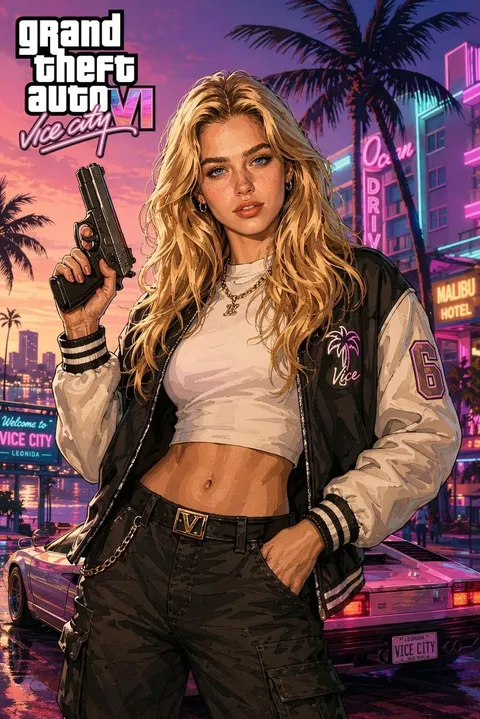
- Signature Vice City PalettePalm-lined boulevards, glowing towers, retro muscle cars and wet asphalt mirroring pink and amber signage as the sky shifts from gold to magenta.
- One Library, Many OutputsCharacter sheets, backstories, fan-fiction beats, video scripts, gameplay plans, photo briefs and social captions all draw from the same set.
From Prompt to Render in Three Steps
This three-step workflow carries a GTA 6 prompt from a rough idea to a finished Vice City visual.
Questions About GTA 6 Prompts
Straight answers on drafting, styling and rendering your prompts.
How do I write a GTA 6 prompt that actually works?
Be specific. A strong GTA 6 prompt states the role, the task, the setting and the format you expect instead of firing off a one-line request.
What kinds of content can I create with them?
Playable roleplay characters, character backstories, fan-fiction scenes, video scripts, gameplay outlines and Vice City-style photo briefs.
What visual style should I expect from Vice City renders?
Stylised game art rather than photorealism — clean comic contours, carefully drawn faces, and pink, purple and orange sunset light spilling across the streets.
Can a written GTA 6 prompt become a real image?
It can. Drop the text into the generator to get AI artwork, posters, thumbnails and social-ready graphics.
What should I do when the output looks wrong?
Swap the mood words — comedic, gritty, cinematic, romantic or high-action — and request a different angle or format until it lands.
Where am I allowed to use the finished visuals?
Thumbnails, posters and social posts, plus channel intros and gameplay-planning assets for creator videos.
Give Your GTA 6 Prompt the Vice City Treatment
Send any recipe above straight to the generator, polish it with a single follow-up line, and download a neon portrait, poster or thumbnail built for your channel.